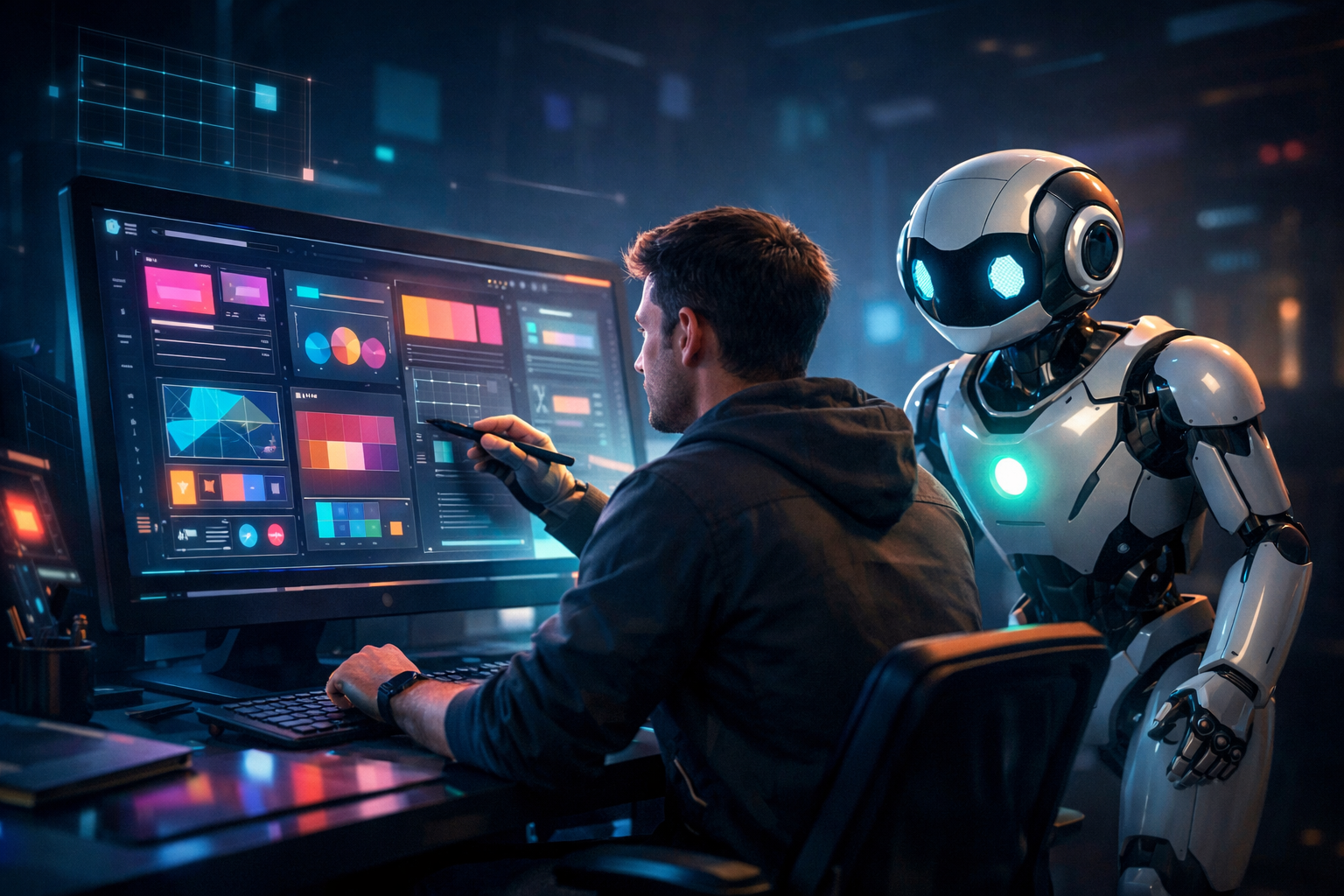
Graphic design has always evolved with its tools. The printing press, the camera, desktop software, each one changed who could design, how fast, and what was possible. Artificial intelligence is the next shift, and it is happening faster than any before it.
But this time the conversation is more complicated. AI is not just a new tool in the toolkit. It is changing the nature of creative work itself, that is what designers spend their time on, what skills matter most, and what it means to make something original.
This post looks honestly at how AI is reshaping graphic design today, which tools are leading the charge, where human creativity still reigns, and what this all means for anyone building a career in the field.
FROM AUTOMATION TO COLLABORATION
For the first few years of AI in design, the conversation was mostly about automation. Could AI remove backgrounds? Speed up retouching? Generate stock imagery on demand? The answer to all of those was yes, and it saved designers enormous amounts of time on low-level production work.
But by 2025 and into 2026, the conversation shifted. AI tools matured from capable assistants into genuine creative partners. Tools like Midjourney, Adobe Firefly, and DALL·E moved well beyond simple automation and they became ideation engines. Designers could generate fifty visual directions from a single prompt, explore brand moods they would never have sketched by hand, and prototype entire visual systems in minutes instead of weeks.
According to Figma’s 2025 AI Report, 30 percent of designers strongly agree that AI significantly enhances their efficiency and that number continues to grow. The shift is no longer whether to use AI, but how to use it well.
WHAT THE WORKFLOW LOOKS LIKE NOW
The most tangible change AI has brought to graphic design is the collapse of time between idea and execution. What once took days now takes hours. What took hours now takes minutes.

The biggest gains are at the beginning and end of the workflow. In the research and ideation phase, AI can surface visual references, generate mood boards, and explore aesthetic directions far faster than any manual process. At the delivery end, AI handles the tedious work of resizing, reformatting, and adapting assets for every platform and resolution.
In the middle, the conceptual core where brand strategy, storytelling, and emotional intent live, this is where human designers still do the most important work. AI proposes. Designers decide.
THE TOOLS LEADING THE CHANGE
Several AI tools have become central to professional design workflows. They are not interchangeable and each has a distinct strength.

• Midjourney — widely regarded as the strongest tool for artistic image generation. Particularly useful in early ideation and for creating visually rich, stylised concepts.
• Adobe Firefly — built directly into Creative Cloud, Firefly is designed for commercially safe AI generation. It is trained on licensed content, which matters for professional and brand work.
• Canva Magic Design — makes AI-powered design accessible to non-designers. Great for rapid branded asset creation, social content, and small business branding.
• DALL·E — excels at generating images from natural language descriptions. Works well when you know what you want but cannot easily sketch or reference it.
• Figma AI — brings AI into the UX and product design space, suggesting layouts, summarising research, and accelerating the design-to-code handoff.
The trend in 2026, noted by design experts, is toward combining multiple tools in a single workflow rather than relying on one platform. A designer might use Midjourney for initial concepts, Firefly for brand-safe refinement, and Figma AI to prepare the handoff, with each tool playing to its strengths.
WHERE HUMAN CREATIVITY STILL WINS
For all its capability, AI has a clear ceiling. It is exceptionally good at generating, iterating, and scaling. It is far less capable of understanding meaning, cultural nuance, or emotional intent.
What AI cannot replicate:
- Strategic thinking — understanding what a brand truly needs to communicate
- Cultural sensitivity — knowing what resonates (or offends) in a specific context
- Emotional storytelling — designing for feeling, not just visual appeal
- Creative direction — knowing which of 50 AI outputs is actually good
This is why the designers thriving in 2026 are not the ones trying to compete with AI on speed or volume. They are the ones using AI to handle the production and using their human judgment to direct it. The value of a designer has shifted from “can you make this?” to “do you know what this should be?”
THE COLLABORATION SPECTRUM
Not every design task sits in the same place on the human–AI spectrum. Some work is almost entirely directed by human creativity. Other work is well-suited to near-full automation. Most professional design lives somewhere in between.

Understanding where each task sits helps designers work smarter. High-stakes brand decisions, campaign concepts, and anything requiring cultural understanding should stay firmly in human hands. Resizing, formatting, background removal, and generating initial options are strong candidates for AI delegation
WHAT THIS MEANS FOR DESIGNERS TODAY
If you are learning design or early in your career, this is not a moment to be intimidated. It is a moment to be strategic. The designers who will be most valuable in the next five years are those who combine strong creative judgment with fluency in AI tools.
• Learn the tools: get hands-on with Midjourney, Firefly, and Canva AI. Understanding what they can and cannot do is now a baseline expectation in creative roles.
• Strengthen your brief: the quality of AI output depends almost entirely on the quality of the prompt. Clear, specific, well-directed prompts are a skill and a differentiator.
• Invest in what AI cannot do: brand strategy, UX thinking, visual storytelling, and client communication are becoming more valuable, not less, as AI handles the production layer.
• Stay curious: the tools are changing every few months. Designers who treat AI as something to keep up with, rather than something to avoid, will have a lasting edge.
THE BOTTOM LINE
AI is not replacing graphic designers. It is replacing the parts of graphic design that were always more production than creativity. What remains and what is growing in value is the human capacity to decide what something should mean, feel, and say.
The designers building strong careers right now are not fighting the change. They are directing it. They are using AI to move faster, explore more boldly, and spend more of their time on the work that actually requires a human.
The tool has changed. The creative instinct that makes design worth anything has not.

Leave A Comment
You must be logged in to leave a comment.