
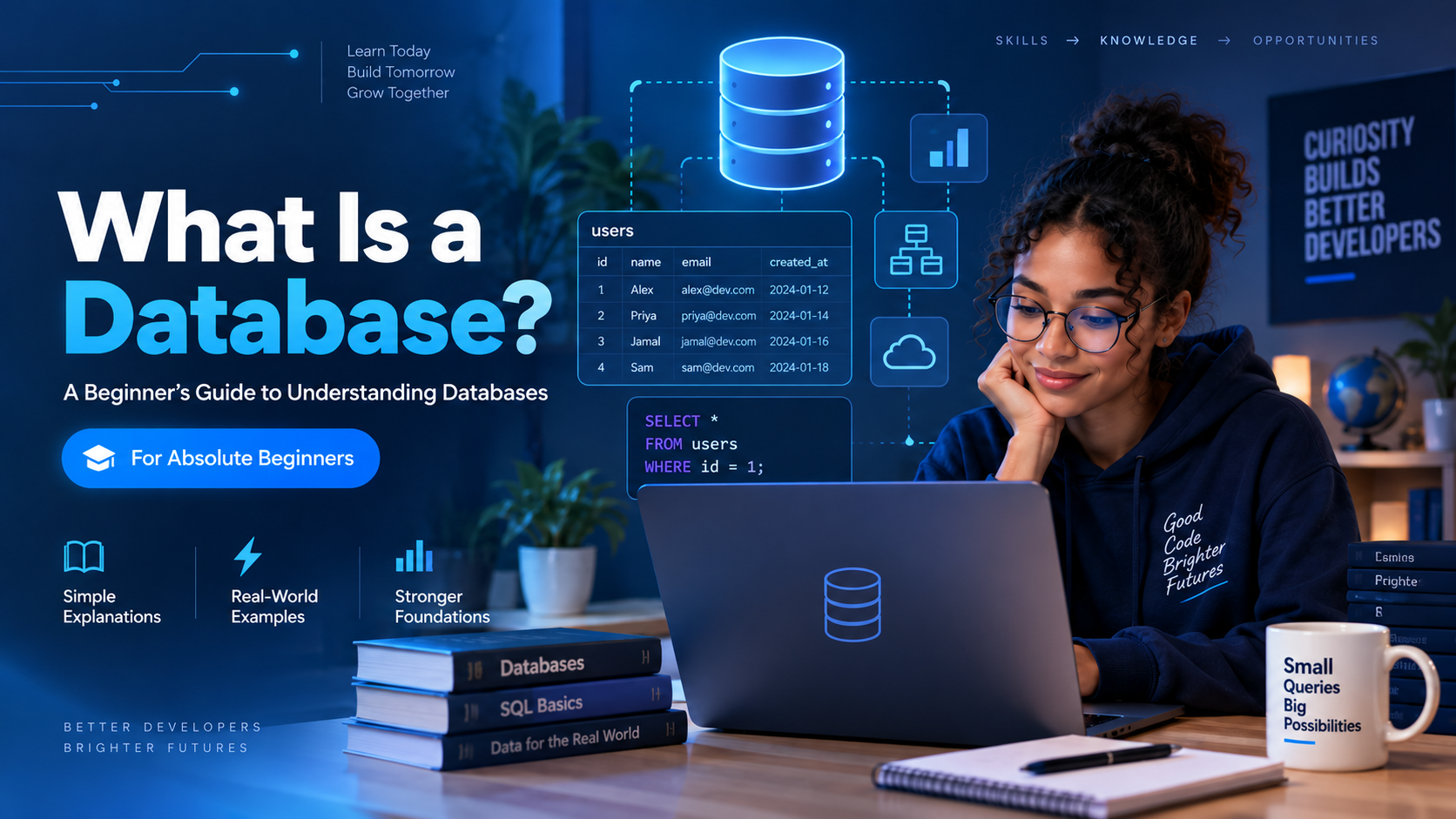
Almost every application you use today depends on a database.
When you log into a website, make a mobile money transaction, register for an online course, buy something online, or check your exam results, information has to be stored somewhere.
That is where databases come in.
If you are completely new to databases, this guide will help you understand what they are, why they matter, and how they are used in real applications.
What Is Data?
Before understanding databases, we first need to understand data.
Data simply means information.
For example, a school may collect information such as:
- Student names
- Email addresses
- Courses
- Examination scores
- Student IDs
- Payment information
A business might store:
- Customer names
- Products
- Prices
- Orders
- Payments
- Delivery information
All of these are examples of data.
What Is a Database?
A database is an organized collection of information that can be stored, accessed, updated, and managed efficiently.
Think about a university with 20,000 students.
Imagine keeping every student's information in notebooks.
Finding one student's information would become difficult.
Updating information would also be challenging.
Instead, the university can store the information inside a database where a computer system can quickly search, update, and manage it.
A simple student database might contain information like this:
| ID | Name | Programme | |
|---|---|---|---|
| 1 | Ama Mensah | ama@example.com | Computer Science |
| 2 | Kojo Asare | kojo@example.com | Engineering |
| 3 | Akosua Owusu | akosua@example.com | Business |
Each row represents a student.
Each column represents a type of information about that student.
Where Are Databases Used?
Databases are everywhere.
Banking
Banks use databases to store information about:
- Customers
- Accounts
- Transactions
- Loans
- Account balances
When you transfer money, database systems help record the transaction.
Hospitals
Hospitals may store:
- Patient information
- Medical records
- Appointments
- Doctors
- Prescriptions
Universities
Universities can store:
- Students
- Lecturers
- Courses
- Results
- Fees
- Departments
E-commerce Platforms
Online stores use databases to manage:
- Products
- Customers
- Orders
- Payments
- Inventory
Social Media
Platforms can store information about:
- Users
- Posts
- Comments
- Likes
- Followers
- Messages
Even an online learning platform such as CodeDevPay Academy requires databases to manage users, courses, lessons, examinations, results, payments, and enrollments.
What Is a DBMS?
You will often hear the term DBMS when learning databases.
DBMS means:
Database Management System
A DBMS is software that allows us to create and manage databases.
Popular database management systems include:
- PostgreSQL
- MySQL
- Microsoft SQL Server
- Oracle Database
- SQLite
- MongoDB
For example, PostgreSQL allows developers to create databases, tables, users, relationships, and queries.
What Is a Table?
In relational databases, information is commonly organized into tables.
A table looks similar to a spreadsheet.
For example:
Students Table
| student_id | name | age | |
|---|---|---|---|
| 1 | Ama Mensah | ama@example.com | 21 |
| 2 | Kojo Asare | kojo@example.com | 23 |
A table contains two important things:
Columns describe the type of information being stored.
Examples include:
name
email
age
Rows represent individual records.
For example, Ama Mensah represents one record in the students table.
What Is SQL?
SQL means:
Structured Query Language
SQL is the language commonly used to communicate with relational databases.
Using SQL, we can create, read, update, and delete information.
For example, imagine we have a table called students.
To see all the students, we could write:
SELECT * FROM students;To add a new student:
INSERT INTO students (name, email, age)
VALUES ('Ama Mensah', 'ama@example.com', 21);
To update a student's age:
UPDATE students
SET age = 22
WHERE student_id = 1;
To delete a student:
DELETE FROM students
WHERE student_id = 1;
These four operations form an important concept called CRUD.
CRUD means:
C — Create
R — Read
U — Update
D — Delete
You will encounter CRUD repeatedly when learning software development.
Relational Databases
A relational database stores information inside tables that can be connected to each other.
Imagine an online school with three tables:
Students
| id | name |
|---|---|
| 1 | Ama |
| 2 | Kojo |
Courses
| id | title |
|---|---|
| 1 | Database Fundamentals |
| 2 | Python Programming |
Enrollments
| id | student_id | course_id |
|---|---|---|
| 1 | 1 | 1 |
| 2 | 2 | 2 |
The enrollment table connects students to courses.
This is what makes relational databases powerful.
Instead of storing everything in one huge table, information can be separated into logical tables and connected using relationships.
Popular relational database systems include:
- PostgreSQL
- MySQL
- SQLite
- Microsoft SQL Server
- Oracle Database
What Is a Primary Key?
A primary key uniquely identifies each record in a table.
Consider this table:
| id | name |
|---|---|
| 1 | Ama |
| 2 | Kojo |
| 3 | Akosua |
The id column can be used as the primary key.
Even if two students have the same name, their IDs can remain different.
For example:
Student ID 1 → Ama Mensah
Student ID 24 → Ama Mensah
The ID allows the system to distinguish between them.
What Is a Foreign Key?
A foreign key connects one table to another.
Imagine we have:
Students
Courses
Enrollments
An enrollment might contain:
student_id = 1
course_id = 3
The student_id refers to a student in the students table.
The course_id refers to a course in the courses table.
Foreign keys allow us to create relationships between information.
What About NoSQL Databases?
Not every database uses traditional tables.
Another category is called NoSQL databases.
Examples include:
- MongoDB
- Redis
- Cassandra
- DynamoDB
NoSQL databases can store information differently depending on the system.
For example, MongoDB stores information in documents that may look similar to JSON:
{
  "name": "Ama Mensah",
  "email": "ama@example.com",
  "age": 21
}
Both relational and NoSQL databases are useful.
However, beginners should usually understand relational databases and SQL first because they teach important database concepts such as tables, relationships, keys, and structured querying.
Database vs Spreadsheet
Beginners sometimes wonder why we need databases when applications such as Excel exist.
Spreadsheets are excellent for smaller datasets, calculations, reports, and manual analysis.
Databases are designed for systems where information needs to be accessed and updated continuously.
For example, imagine an online school where thousands of students can:
- Register
- Log in
- Enroll in courses
- Take exams
- Make payments
- View results
A database is much more suitable for managing this type of system.
Why Should You Learn Databases?
Databases are useful across many technology careers.
Software Developers
Developers use databases to store application information.
Backend Developers
Backend systems regularly communicate with databases.
Data Analysts
Data analysts use SQL to retrieve and analyze information.
Data Engineers
Data engineers build systems that collect, transform, store, and move large amounts of data.
DevOps and Cloud Engineers
Engineers often deploy and maintain database infrastructure in cloud environments.
Data Scientists
Data scientists frequently retrieve information from databases before performing analysis or building machine learning models.
Understanding databases therefore gives you a foundation that can support many different technology careers.
Which Database Should a Beginner Learn?
A great place to start is PostgreSQL.
PostgreSQL is a powerful open-source relational database used by developers and organizations around the world.
It supports:
- SQL
- Relationships
- Transactions
- Views
- Indexes
- Advanced querying
- Large applications
Once you understand PostgreSQL and SQL, learning other relational databases becomes much easier.
Your Database Learning Roadmap
If you are just beginning, you can follow this path:
Understand Data
        ↓
Understand Databases
        ↓
Learn Tables, Rows and Columns
        ↓
Learn PostgreSQL
        ↓
Learn SQL
        ↓
Learn CRUD
        ↓
Learn Primary and Foreign Keys
        ↓
Learn Relationships
        ↓
Learn SQL Joins
        ↓
Learn Aggregation
        ↓
Learn Database Design
        ↓
Build Real Projects
The most important thing is not to rush.
Practice every concept you learn.
A Simple Project You Can Build
As a beginner, you could create a small university database containing:
Students
Courses
Lecturers
Departments
Enrollments
Results
Later, you can write SQL queries such as:
SELECT * FROM students;or:
SELECT name, email
FROM students
WHERE age >= 18;
Eventually, you can connect multiple tables and answer more interesting questions, such as:
Which students are enrolled in Database Fundamentals?
How many students are taking each course?
Which student has the highest examination score?
These are the kinds of questions databases help us answer.
Final Thoughts
A database is simply an organized system for storing and managing information.
Although databases can become very advanced, the basic ideas are straightforward.
Start by understanding:
Data → Tables → Records → Keys → Relationships → SQL
Once those concepts become clear, more advanced database topics will become much easier.
At CodeDevPay Academy, our Database Fundamentals course is designed for absolute beginners. You do not need previous database or programming experience.
We will start from the foundations and gradually move into PostgreSQL, SQL queries, relationships, database design, and practical projects.
The goal is not simply to memorize SQL commands.
The goal is to understand how real applications organize and use data.
And that understanding is one of the most valuable foundations you can build as you enter software development, data analytics, data engineering, cloud computing, or systems engineering.





Comments